
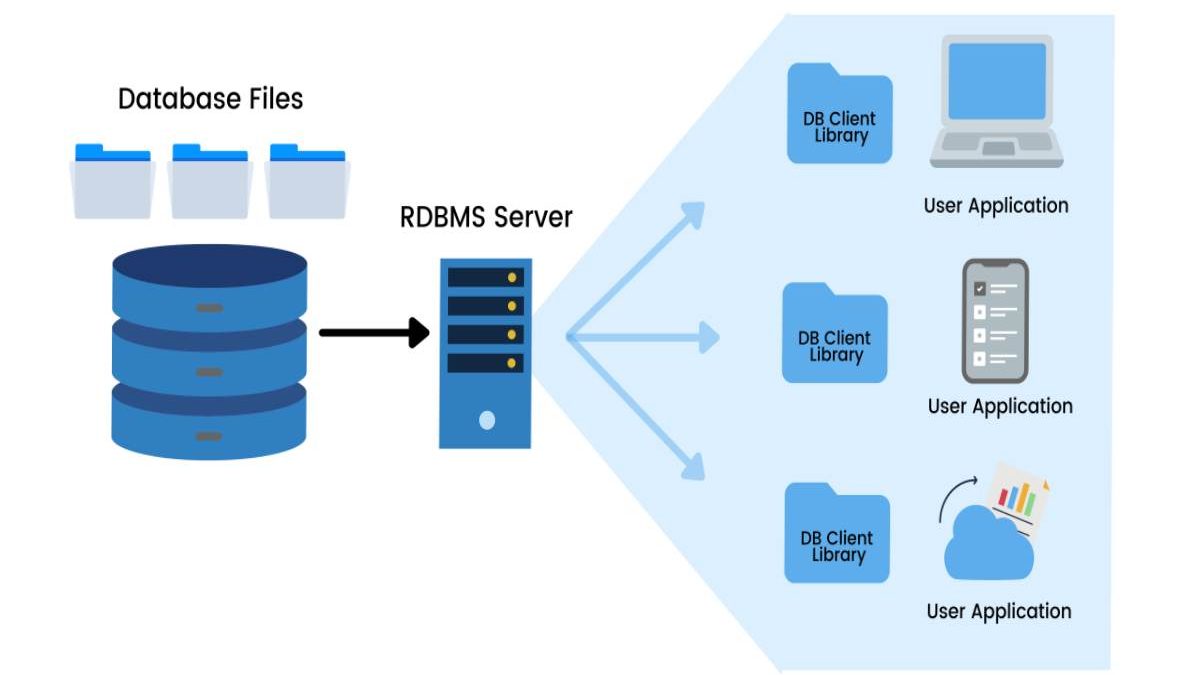
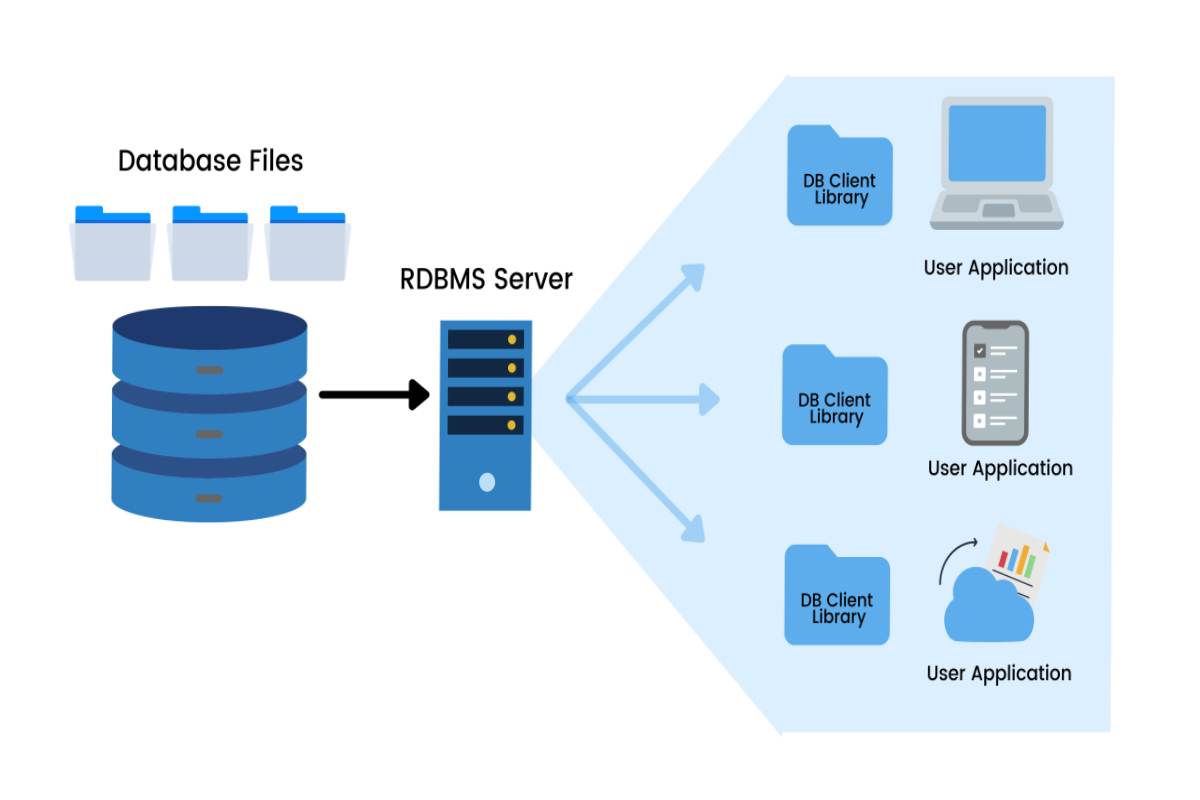
Modern applications, websites, and enterprise systems rely heavily on database technologies to store and manage data efficiently. Two commonly discussed database systems are Database Management System (DBMS) and Relational Database Management System (RDBMS). Understanding the difference between DBMS and RDBMS is essential for developers, database administrators, and students learning database technologies.
Although the terms are sometimes used interchangeably, RDBMS is actually an advanced form of DBMS that follows the relational model for organizing data.
Table of Contents
What is DBMS?
A Database Management System (DBMS) is software that allows users to create, store, retrieve, and manage data in databases. It acts as an interface between the database and end users or applications.
In simple terms, DBMS is a software system that organizes data and allows operations like inserting, updating, deleting, and retrieving information.
Key Characteristics of DBMS
- Data stored as files
- Supports basic data manipulation
- Usually designed for single-user environments
- Limited relationships between data
- Less focus on normalization
DBMS systems typically store data in hierarchical or navigational structures rather than relational tables.
What is RDBMS?
A Relational Database Management System (RDBMS) is an advanced version of DBMS that stores data in tables consisting of rows and columns and maintains relationships between tables.
The relational model was introduced by E. F. Codd, which uses keys and constraints to ensure data integrity.
Key Characteristics of RDBMS
- Data stored in tables (relations)
- Supports multiple users
- Implements data integrity rules
- Uses primary keys and foreign keys
- Supports SQL queries
RDBMS systems are widely used in modern applications because they can efficiently manage large volumes of structured data.
Core Concept Behind DBMS and RDBMS
Before diving into the differences, it is important to understand the fundamental concept.
| Concept | Description |
| Database | Organized collection of data |
| DBMS | Software used to manage databases |
| RDBMS | DBMS based on relational model |
| SQL | Language used to interact with RDBMS |
Important Rule:
- Every RDBMS is a DBMS
- But every DBMS is not an RDBMS
Main Difference Between DBMS and RDBMS
The biggest difference is how data is stored and structured.
| Feature | DBMS | RDBMS |
| Data Storage | Stored as files | Stored in tables |
| Data Structure | Hierarchical or navigational | Relational model |
| Relationships | Limited or none | Relationships using keys |
| Normalization | Not supported | Supported |
| Data Redundancy | High | Low |
| User Access | Single user | Multi-user |
| Security | Basic security | Advanced security |
| Scalability | Small databases | Large databases |
DBMS typically manages small data sets, whereas RDBMS is designed for large enterprise databases.
Detailed Comparison Table
Below is a more technical comparison useful for developers and database students.
| Parameter | DBMS | RDBMS |
| Full Form | Database Management System | Relational Database Management System |
| Data Model | Hierarchical or network model | Relational model |
| Data Organization | Files and records | Tables with rows and columns |
| Data Integrity | Limited | Enforced through constraints |
| Query Language | Limited | Uses SQL |
| Normalization | Not available | Available |
| Multi-user Access | Limited | Supported |
| Distributed Databases | Not supported | Supported |
| Performance | Suitable for small data | Suitable for large data |
Architecture Comparison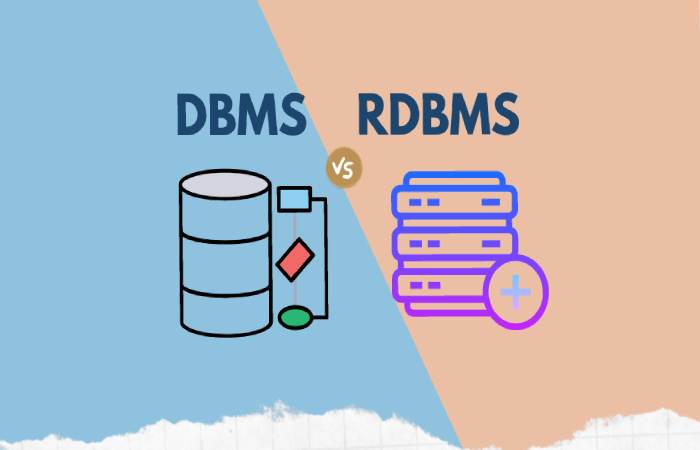
DBMS Architecture
DBMS typically follows a simple architecture:
User → Application → DBMS → Database Files
Features:
- Simple file system storage
- Limited concurrency
- Basic data management
RDBMS Architecture
RDBMS architecture is more complex and efficient.
User → SQL Interface → RDBMS Engine → Tables → Storage System
Features:
- Query optimization
- Transaction management
- Indexing
- Data integrity enforcement
Data Storage Structure Comparison
| Feature | DBMS | RDBMS |
| Data Format | Files | Tables |
| Relationships | None | Primary & Foreign Keys |
| Data Access | Sequential | Query-based |
| Data Manipulation | Manual or program-based | SQL queries |
Example:
DBMS Example
Employee File
EMP001, John, HR
EMP002, Sara, Finance
RDBMS Example
Employee Table
| ID | Name | Department |
| 001 | John | HR |
| 002 | Sara | Finance |
Data Redundancy Comparison
Data redundancy refers to duplicate data stored in the system.
| Factor | DBMS | RDBMS |
| Duplicate Data | High | Low |
| Data Integrity | Weak | Strong |
| Constraints | Not supported | Supported |
RDBMS uses normalization techniques to reduce redundancy and maintain data consistency.
Popular DBMS Examples
Some well-known DBMS systems include:
- Microsoft Access
- dBASE
- FoxPro
- File systems
These systems are generally used for small desktop applications.
Popular RDBMS Examples
Some of the most widely used RDBMS platforms include:
| RDBMS Software | Used For |
| MySQL | Web applications |
| PostgreSQL | Enterprise applications |
| Oracle Database | Large enterprise systems |
| Microsoft SQL Server | Business analytics |
| IBM DB2 | Enterprise data management |
These systems support high scalability and multi-user access.
Cost and Licensing Differences
Another important difference between DBMS and RDBMS is software cost and infrastructure requirements.
| Factor | DBMS | RDBMS |
| Hardware Requirements | Low | High |
| Software Complexity | Simple | Complex |
| Licensing Cost | Low | Medium to High |
| Maintenance | Easy | Requires skilled DBAs |
Estimated Licensing Cost Examples
| Database System | Type | Approximate Cost |
| Microsoft Access | DBMS | Included with Office |
| MySQL Community | RDBMS | Free |
| PostgreSQL | RDBMS | Free |
| Oracle Database | RDBMS | $17k+ per processor |
Enterprise RDBMS solutions may cost thousands of dollars annually, depending on licensing and support.
Use Cases: DBMS vs RDBMS
When to Use DBMS
DBMS is suitable for:
- Small desktop applications
- Single-user systems
- Educational projects
- Small-scale databases
Examples:
- Personal data storage
- Local inventory management
- Offline applications
When to Use RDBMS
RDBMS is ideal for:
- Enterprise applications
- Banking systems
- E-commerce platforms
- Cloud applications
Examples:
- Online banking
- Airline booking systems
- Social media platforms
- ERP software
Advantages of DBMS
- Easy to implement
- Low cost
- Minimal hardware requirements
- Simple data storage
Disadvantages of DBMS
- Limited scalability
- High data redundancy
- Poor security features
- Limited multi-user access
Advantages of RDBMS
- Strong data integrity
- Efficient data relationships
- Multi-user support
- Reduced redundancy
- High scalability
Disadvantages of RDBMS
- Higher system requirements
- More complex setup
- Requires database administrators
- Higher operational cost
DBMS vs RDBMS
Distribution of key features:
| Feature | DBMS | RDBMS |
| Data Structure | 30% | 70% |
| Data Integrity | 40% | 80% |
| Scalability | 30% | 90% |
| Multi-user Capability | 20% | 95% |
This conceptual comparison shows why RDBMS dominates modern database applications.
Quick Summary Table
| Feature | DBMS | RDBMS |
| Data Model | File-based | Relational |
| Storage Format | Files | Tables |
| Relationship Support | No | Yes |
| Normalization | No | Yes |
| Users | Single | Multiple |
| Security | Basic | Advanced |
| Scalability | Low | High |
Future of Database Systems
While RDBMS continues to dominate enterprise systems, modern technologies such as NoSQL databases, distributed databases, and cloud databases are also gaining popularity.
However, relational databases remain the backbone of many industries due to their reliability, structured data model, and strong consistency guarantees.
Conclusion
Understanding the difference between DBMS and RDBMS is essential for anyone working with databases.
To summarize:
- DBMS is a basic database management system that stores data in file-based structures.
- RDBMS is an advanced system that stores data in relational tables with enforced relationships.
- RDBMS provides better scalability, data integrity, and multi-user access, making it ideal for modern applications.
For small systems, DBMS may be sufficient, but for large-scale enterprise environments, RDBMS is the preferred solution.