
Last Updated: May 11, 2026
Software testing is one of the most critical phases in the Software Development Life Cycle (SDLC). Without proper testing, even the most well-designed applications can fail in real-world scenarios. Whether you’re a beginner, developer, QA engineer, or business owner, understanding software testing methods is essential for building reliable, secure, and high-performing applications.
In this comprehensive guide, we’ll break down software testing methods, types, techniques, comparisons, costs, and real-world applications—based on insights from top-ranking sources.
Table of Contents
What is Software Testing?
Software testing is the process of evaluating a software application to ensure it meets specified requirements and is free from defects, bugs, and errors.
It helps:
- Detect bugs early
- Improve software quality
- Enhance user satisfaction
- Ensure security and performance
Why Software Testing Matters
Here’s why testing is non-negotiable:
- Prevents costly failures – Fixing bugs early is cheaper
- Improves performance – Ensures smooth operation under load
- Enhances security – Identifies vulnerabilities
- Boosts user experience – Delivers reliable applications
Types of Software Testing (High-Level Classification)
Software testing can be broadly categorized into:
1. Functional Testing
Focuses on what the software does.
Examples:
- Unit Testing
- Integration Testing
- System Testing
- User Acceptance Testing
2. Non-Functional Testing
Focuses on how the software performs.
Examples:
- Performance Testing
- Security Testing
- Usability Testing
- Compatibility Testing
These categories ensure both functionality and performance are validated.
In 2026, productivity management software has advanced from simple digital to-do lists into modern platforms that use agentic AI to merge tasks from multiple sources.
Core Software Testing Methods Explained
Let’s dive deep into the most important software testing methods.
1. Unit Testing
Unit testing checks individual components or modules of software.
Key Features:
- Done by developers
- Tests smallest parts (functions, methods)
- Fast and cost-effective
Example: Testing a login function separately
Benefits:
- Early bug detection
- Cleaner code structure
- Easier debugging
2. Integration Testing
Integration testing verifies how different modules work together.
Types:
- Top-down
- Bottom-up
- Hybrid
Example: Checking API communication between frontend and backend
Benefits:
- Detects interface issues
- Improves system reliability
3. System Testing
System testing evaluates the complete application.
Focus Areas:
- Functional behavior
- Performance
- Security
Example: Testing a full e-commerce platform workflow
Benefits:
- End-to-end validation
- Ensures business requirements are met
4. Acceptance Testing (UAT)
Performed by end users or clients to validate real-world usability.
Types:
- Alpha Testing (internal)
- Beta Testing (external users)
Benefits:
- Ensures customer satisfaction
- Validates business requirements
5. Regression Testing
Regression testing ensures that new updates don’t break existing features.
When Used:
- After bug fixes
- After feature updates
Benefits:
- Maintains stability
- Prevents unexpected issues
6. Performance Testing
Checks how software behaves under load.
Types:
- Load Testing
- Stress Testing
- Scalability Testing
Example: Testing website performance during high traffic
7. Security Testing
Identifies vulnerabilities and threats in software.
Focus Areas:
- Data protection
- Authentication
- Authorization
8. Usability Testing
Evaluates user experience and interface design.
Goal:
- Make software intuitive and user-friendly
Software Testing Techniques (Black Box vs White Box vs Gray Box)
One of the most important concepts in software testing methods is testing techniques.
Comparison Table
| Feature | Black Box Testing | White Box Testing | Gray Box Testing |
| Knowledge of Code | No | Full | Partial |
| Focus | Functionality | Internal logic | Both |
| Performed By | Testers | Developers | Both |
| Complexity | Low | High | Medium |
| Example | UI testing | Code logic testing | API testing |
Key Insight:
- Black box testing evaluates functionality without knowing internal code.
- White box testing focuses on internal logic and structure
- Gray box testing combines both approaches
Manual Testing vs Automation Testing
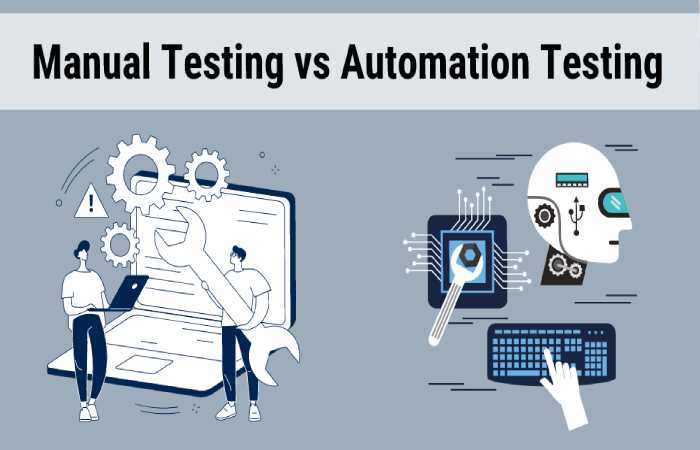

Another major classification of testing methods:
Comparison Table
| Feature | Manual Testing | Automation Testing |
| Execution | Human | Tools/scripts |
| Speed | Slow | Fast |
| Cost | Low initially | High setup cost |
| Accuracy | Prone to error | Highly accurate |
| Best For | Exploratory testing | Regression testing |
Popular Tools:
- Selenium
- JUnit
- TestNG
Automation is ideal for repetitive tasks, while manual testing is better for exploratory scenarios.
Software Testing Pyramid
Key Idea:
- More unit tests
- Fewer UI tests
- Balanced integration tests
Cost Comparison of Testing Methods
| Testing Type | Cost | Time | Best Use Case |
| Unit Testing | Low | Fast | Early-stage validation |
| Integration Testing | Medium | Moderate | Module interaction |
| System Testing | High | Slow | Full system testing |
| Automation Testing | High initial | Fast long-term | Large projects |
| Manual Testing | Low initial | Slow | Small projects |
Advanced Testing Methods You Should Know
- Smoke Testing
Quick test to check if the build is stable.
- Sanity Testing
Focused testing after minor changes.
- Exploratory Testing
Testers explore the application without predefined test cases.
- Keyword-Driven Testing
Uses predefined keywords to execute test cases efficiently.
Real-World Example
Imagine testing a food delivery app:
- Unit Testing: Check login function
- Integration Testing: Payment + order system
- System Testing: Full order process
- Performance Testing: High traffic during peak hours
- UAT: Real users testing app usability
Best Practices for Effective Software Testing
- Start testing early (Shift-left approach)
- Use automation wisely
- Maintain test documentation
- Run regression tests frequently
- Combine multiple testing methods
Common Mistakes to Avoid
- Skipping testing phases
- Over-relying on automation
- Ignoring user experience
- Poor test planning
Future of Software Testing
With the rise of AI and DevOps:
- AI-driven testing is growing
- Continuous testing is becoming standard
- Automation is evolving rapidly
Conclusion
Software testing is not just a phase—it’s a continuous process that ensures software quality, reliability, and performance. From unit testing to advanced automation techniques, every method plays a crucial role in delivering flawless applications.
By understanding and applying the right mix of testing methods, businesses can:
- Reduce risks
- Improve product quality
- Deliver better user experiences